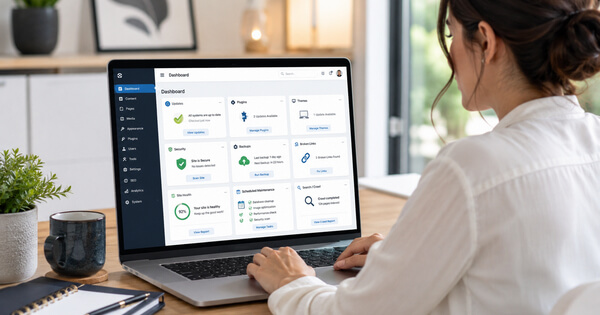
A business website should never be treated as a “set it and forget it” marketing option.
The internet does not stand still.
Browsers change.
Search engines change.
Security threats change.
WordPress changes.
The plugins and themes connected to it change too.
Your business may also change… sometimes gradually and sometimes overnight.
Services are added or removed. Prices change. Staff members come and go. Customer questions evolve.
Older information becomes less useful, while competitors continue publishing new material.
That means a website that was accurate, secure and effective when it launched will not necessarily remain that way without regular attention.
Monthly website maintenance helps protect both sides of your online presence:
1. The visible website your visitors experience.
2. The technical framework operating behind it.
Both matter.
Why Businesses Choose a CMS Such as WordPress

A content management system, commonly called a CMS, allows a business owner or website manager to update a website without rebuilding every page manually.
WordPress is the most familiar example.
Instead of writing or editing the underlying code whenever something changes, authorized users can sign into a dashboard and:
- Publish articles.
- Update existing pages.
- Add photographs or videos.
- Change business information.
- Create new service pages.
- Respond to changing customer needs.
- Improve how information is organized and presented.
This flexibility is one of the greatest advantages of using WordPress.
A traditional static website may require someone with coding knowledge to make even relatively small changes.
A CMS separates much of the content from the website’s underlying structure, making routine publishing and editing more practical.
WordPress can also be expanded through themes and plugins.
The theme helps control the website’s design and layout.
Plugins add functions such as contact forms, security protection, search optimization, backups, image galleries, appointment booking and online shopping.
That flexibility makes WordPress enormously useful… but it also means that several independently developed parts must continue working together.
And that is where regular maintenance becomes essential.
A WordPress Website Has a Working Framework

A WordPress website is not one finished piece of software.
Think of it as a working system made from several connected parts:
- The WordPress core software.
- The active theme.
- The plugins.
- The website database.
- The hosting environment.
- The version of PHP running on the server.
- Security settings and certificates.
- Connections to outside services.
Each part may be updated by a different company or developer.
A WordPress update may affect how a plugin works.
A plugin update may conflict with the theme.
A hosting company may upgrade its server software.
A form may stop delivering messages after an outside email service changes something.
Even when the website looks perfectly normal from the front, something behind the scenes may already require attention.
Monthly maintenance provides an opportunity to catch those problems before visitors… or potential customers… discover them.
Updates Are Not Merely About Adding New Features
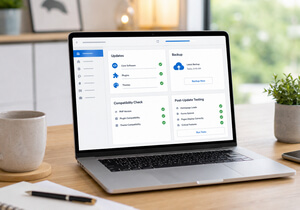
WordPress core, theme and plugin updates frequently contain bug fixes, compatibility improvements and security patches.
Ignoring those updates can leave known weaknesses in place.
However, blindly clicking every available update is not a complete maintenance strategy either.
Before significant updates are installed, the website should have a recent, usable backup.
After each update, important pages and functions should be checked.
Does the homepage still display properly?
Does the contact form work when tested using your own details?
Do the menu, buttons and links still lead where they should?
Does the website still work on a phone?
Did an update alter the layout or cause an error?
Automatic updates can be helpful, particularly for urgent security fixes, but automation does not inspect the website as a human visitor would.
It cannot always recognize that a page looks wrong, a form confirmation is missing or an important feature is no longer behaving as intended.
Someone still needs to check.
Security Requires Ongoing Attention

No website can be guaranteed completely immune from attack.
WordPress is widely used, which makes outdated WordPress installations, plugins and themes attractive targets for automated attacks.
This does not mean WordPress is inherently unsafe.
It simply means that, like other widely used software, it needs to be kept current and monitored.
Depending on the website and the maintenance agreement, routine maintenance may include:
- Installing appropriate security updates.
- Checking for suspicious files or activity.
- Reviewing failed login attempts.
- Removing unused plugins and themes.
- Confirming that backups are completing properly.
- Checking the website’s security certificate.
- Reviewing administrator accounts and access.
- Making sure recovery options are available.
An unused plugin can still become a liability if it remains installed and contains a vulnerability.
An old administrator account can create unnecessary risk.
A backup that has quietly stopped working is of little help when it is finally needed.
Maintenance is not simply about preventing trouble.
It is also about making sure the business can recover if something does go wrong.
Website Performance Can Decline Gradually

A website does not have to go completely offline to develop problems.
It may slowly become heavier and slower as images, revisions, temporary files and database entries accumulate.
A new plugin may add scripts to every page.
An oversized photograph may increase loading time.
A broken connection to an outside service may cause delays.
A caching problem may prevent visitors from seeing the latest version of a page.
These changes are often gradual enough that the business owner does not notice them immediately.
Visitors may notice.
A slow or awkward website creates friction.
Some people will leave rather than wait, particularly when browsing from a phone or using a slower connection, because not everyone has access to high-speed internet.
Monthly maintenance can help identify performance problems before they become severe.
These problems may require specialized technical work.
Speed testing, performance optimization, database cleanup and similar services may not be included in a standard monthly maintenance agreement.
The services provided will depend on what the website owner and website manager have agreed to in advance.
Google Does Not See Your Website Exactly as a Human Does
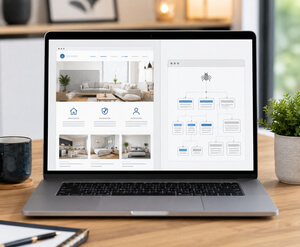
There is another, less visible side of website maintenance: how search engines crawl and interpret the site.
Google uses automated crawlers, including Googlebot, to discover publicly accessible webpages.
Those crawlers follow links, read sitemaps and revisit pages so that Google can process information for its search index.
Google is not continuously watching every website or instantly detecting every edit.
A change may be discovered when Google next crawls the affected page.
That could happen relatively quickly, or it could take days or even weeks.
Requesting another crawl does not guarantee immediate indexing or improved placement in search results.
This is why the technical condition of a website matters.
Search crawlers need to be able to reach important pages.
Broken links, incorrect settings, server errors, accidental “noindex” instructions or a faulty robots.txt file can interfere with discovery and indexing.
An XML sitemap can help search engines find important URLs, particularly on a larger or more complex website, although submitting a sitemap does not guarantee that every page will be crawled or indexed.
Regular website checks can help identify problems such as:
- Pages that return errors.
- Important content accidentally blocked from search engines.
- Broken internal and external links.
- Missing or incorrect page titles.
- Outdated sitemap information.
- Redirects that no longer work.
- Duplicate or abandoned pages.
- Mobile usability problems.
These issues may be invisible to the average visitor… and sometimes to the business owner too… but they can affect whether search engines can properly access and understand the website.
Maintenance and Fresh Content Are Not the Same Thing

Technical maintenance keeps the website’s framework healthy.
Content maintenance keeps the website accurate, useful and aligned with the business.
A technically perfect website can still become stale.
An old team photograph, discontinued service, expired offer or incorrect business hours can weaken trust.
A page written several years ago may no longer answer the questions customers are asking today.
This does not mean every sentence must be changed each month merely to make the website appear active.
Meaningful updates matter more than cosmetic ones.
Content maintenance may include:
- Correcting outdated information.
- Adding newly available services.
- Improving explanations that customers find confusing.
- Updating internal links.
- Answering recurring customer questions.
- Refreshing an older article when the subject has changed.
- Adding useful examples, evidence or resources.
- Removing claims the business can no longer support.
Google does not reward a page simply because someone changed a few words or updated the copyright date.
The purpose of reviewing content is to make the website more accurate and useful… not to manufacture activity.
Why Monthly Maintenance Makes Sense

Not every maintenance task must be performed precisely every 30 days.
Some security updates should be handled sooner.
Other reviews may only be needed quarterly or annually.
However, a monthly schedule provides a reliable checkpoint.
Without a schedule, small tasks are easy to postpone:
“I’ll update that plugin later.”
“I’ll check that form next week.”
“I’ll fix that broken link when I have time.”
Months pass, and several small concerns become one much larger problem.
A monthly maintenance routine creates accountability.
It allows someone to review the website’s technical condition, confirm that essential functions are working and identify content that needs attention.
The exact work will vary from one website and maintenance agreement to another.
Depending on the agreed scope, monthly maintenance may include:
- Backups and recovery measures.
- WordPress core, theme and plugin updates.
- Reviewing security alerts and addressing security issues once identified.
- Testing contact forms and other important website functions after updates.
- Addressing broken links where necessary.
- Correcting problems caused by WordPress, plugin or theme updates.
- Checking that the website continues to display properly on different devices.
- Making agreed-upon updates to business information and time-sensitive content when requested by the client.
A maintenance agreement should clearly state what is… and is not… included.
Services such as Google Analytics setup, Google Search Console monitoring, search-performance reporting, speed optimization, major design changes and repairs not caused by WordPress core, plugin or theme updates are separate services unless specifically included in the maintenance agreement.
Your Website Is Part of an Ongoing Marketing System

A website is not a digital brochure that is printed once and placed on a shelf.
It is part of an active marketing system.
People use it to evaluate your credibility.
Search engines use it to understand your business and its content.
Other websites and online platforms may link to it.
AI-assisted search systems may use accessible website information when producing answers.
For that system to remain dependable, the website needs to remain secure, accessible, accurate and useful.
WordPress makes ongoing improvement easier than it would be with many static website systems.
That is one of its greatest strengths.
But easy editing does not remove the need for care.
It makes regular care possible.
A website may continue displaying its homepage for years without maintenance.
That doesn’t mean it is healthy, secure, visible or helping the business.
The better question is not:
“Is the website still online?”
It’s:
“Is the website still working properly for the business, its customers and the systems that need to understand it?”
That question deserves to be asked regularly.
Because no business website should ever be a set-it-and-forget-it marketing option… especially when online marketing never stops changing.
Credit for Images: created with ChatGPT Images by OpenAI, with prompting and direction by the author, Trish Parr.